Repair type
Smartphone Repair
Smartphone repair requests for common brands including iPhone, Samsung, Google Pixel, and more.
- Cracked screen replacement
- Battery replacement
- Charging port repair
- Water damage repair
Choose the closest hardware type, then send the model, failure symptom, and urgency. If the problem could have more than one cause, use diagnostic help so FixMY starts with the right notes.
Use a repair category when the device and symptom are clear. Use diagnostics for liquid, no-power, charging, storage, overheating, or mixed symptoms.
Smartphone repair requests for common brands including iPhone, Samsung, Google Pixel, and more.
Game console repair requests for PlayStation, Xbox, Nintendo Switch, and more.
Tablet repair requests for iPad, Samsung Tab, and other tablet brands.
Computer repair requests for laptops and desktops, including Mac and PC.
The useful intake details are exact model, what changed, whether the device still powers on, visible damage, liquid exposure, data urgency, and timing pressure.
Smartphone pricing changes by model, part tier, calibration needs, frame condition, and whether the drop also affected cameras, charging, sensors, or the battery. If liquid or no-power symptoms are involved, FixMY treats the request as diagnostic-first.
Console repair is often diagnostic-first because HDMI, power, thermal, and storage symptoms can point to board, port, fan, drive, firmware, or accessory failures. FixMY reviews the symptoms before quoting the repair path.
Tablet repairs often depend on whether the glass, digitizer, LCD/OLED, battery, charging port, or housing is actually damaged. FixMY reviews those details before recommending a parts-and-labor path.
Computer repair quotes depend heavily on the exact model, whether files must be protected, whether parts are available, and whether the failure is hardware, software, thermal, or storage-related. Data safety comes before deeper repair when files matter.
You should know when FixMY can estimate from details and when the device needs inspection first.
Clean screen damage, battery replacement, known part requests, and model-specific parts can often be estimated after FixMY has the exact model and condition notes.
Some symptoms should start as diagnostics because the visible problem may not be the root failure.
Some repairs depend on part tier, calibration, adhesive work, board condition, or special-order availability.
Send the repair facts that help FixMY quote, route, or diagnose the device without asking you to repeat the basics.
Send the brand, model, generation, size, or model number if you can find it.
Describe the first thing that failed: screen, battery, charging, power, data, heat, audio, or controls.
Tell FixMY whether it powers on, shows a logo, charges, overheats, loops, or stays completely dead.
Mention drops, bending, liquid exposure, swelling, previous repairs, or recent charger/cable changes.
Photos help when damage is visible. Include whether the repair is urgent or quote-first.
Do not send passcodes, private credentials, payment details, or unnecessary private notes in public forms.
See real devices, symptoms, and repair outcomes before you send yours in.
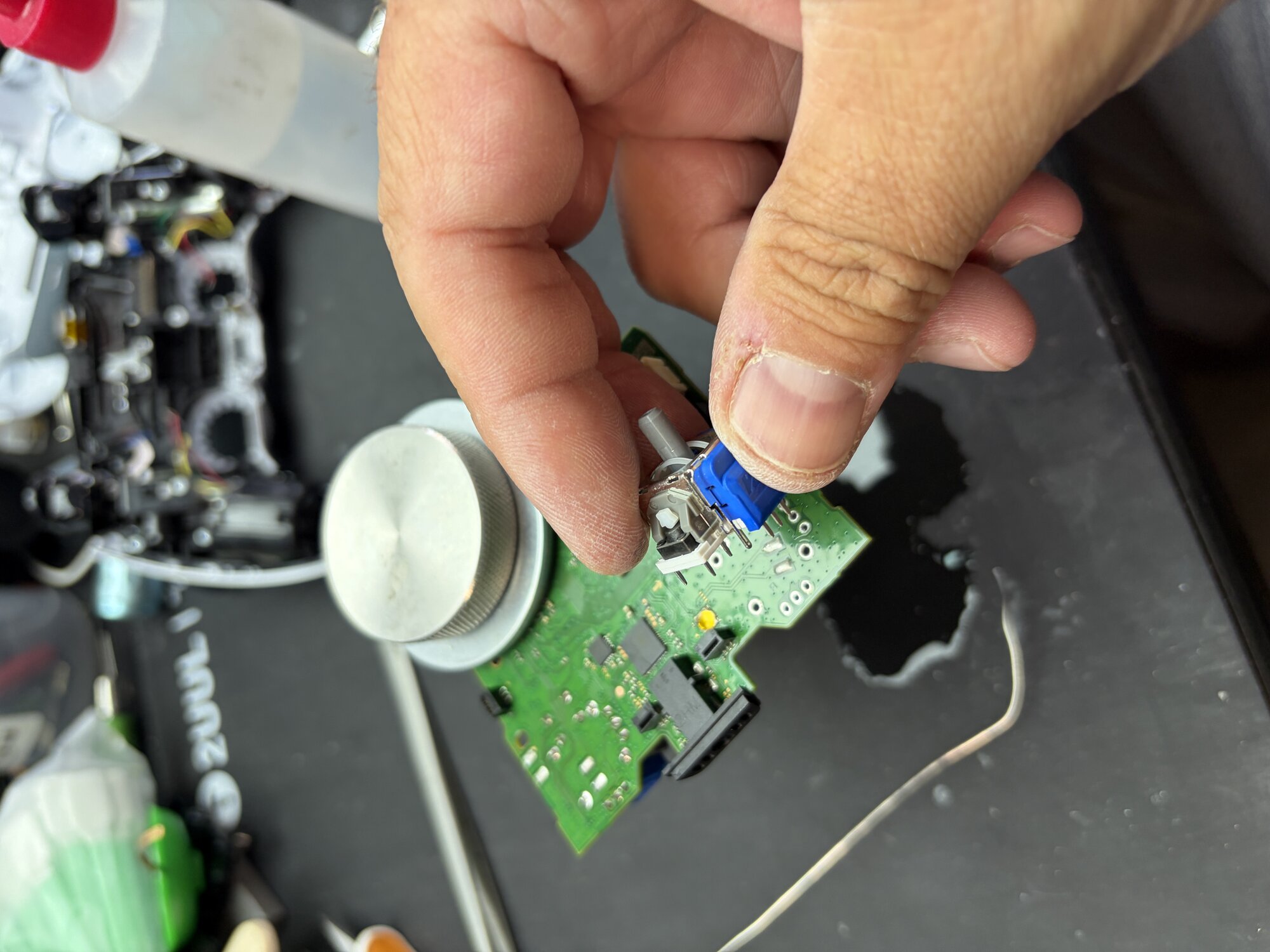
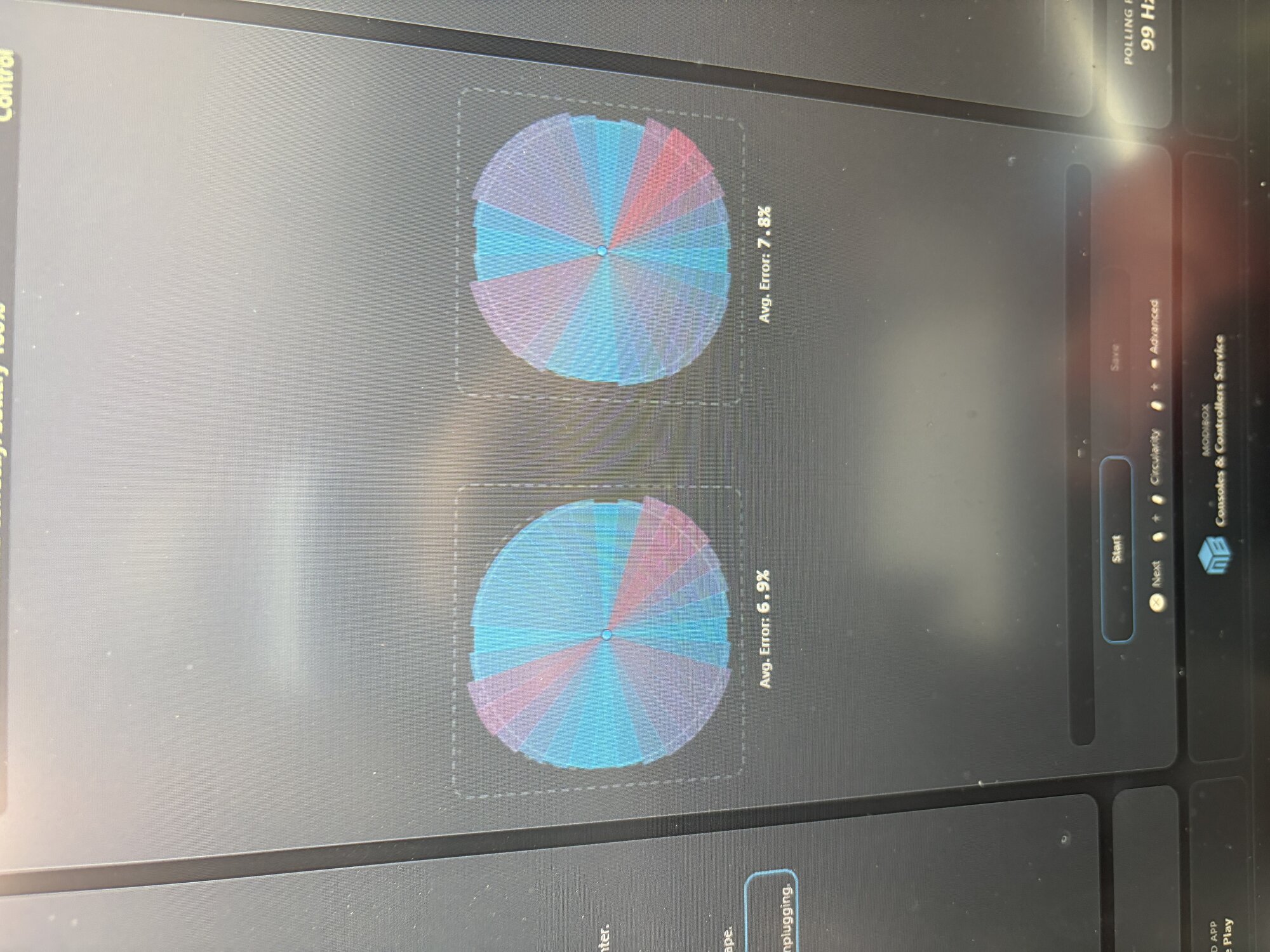
A customer from Sandy, Utah brought in a PlayStation 5 DualSense controller with severe stick drift that remained even after cleaning and software calibration attempts. We replaced the worn analog modules with precision TMR Hall Effect sticks, eliminating the drift and restoring smooth, accurate control.
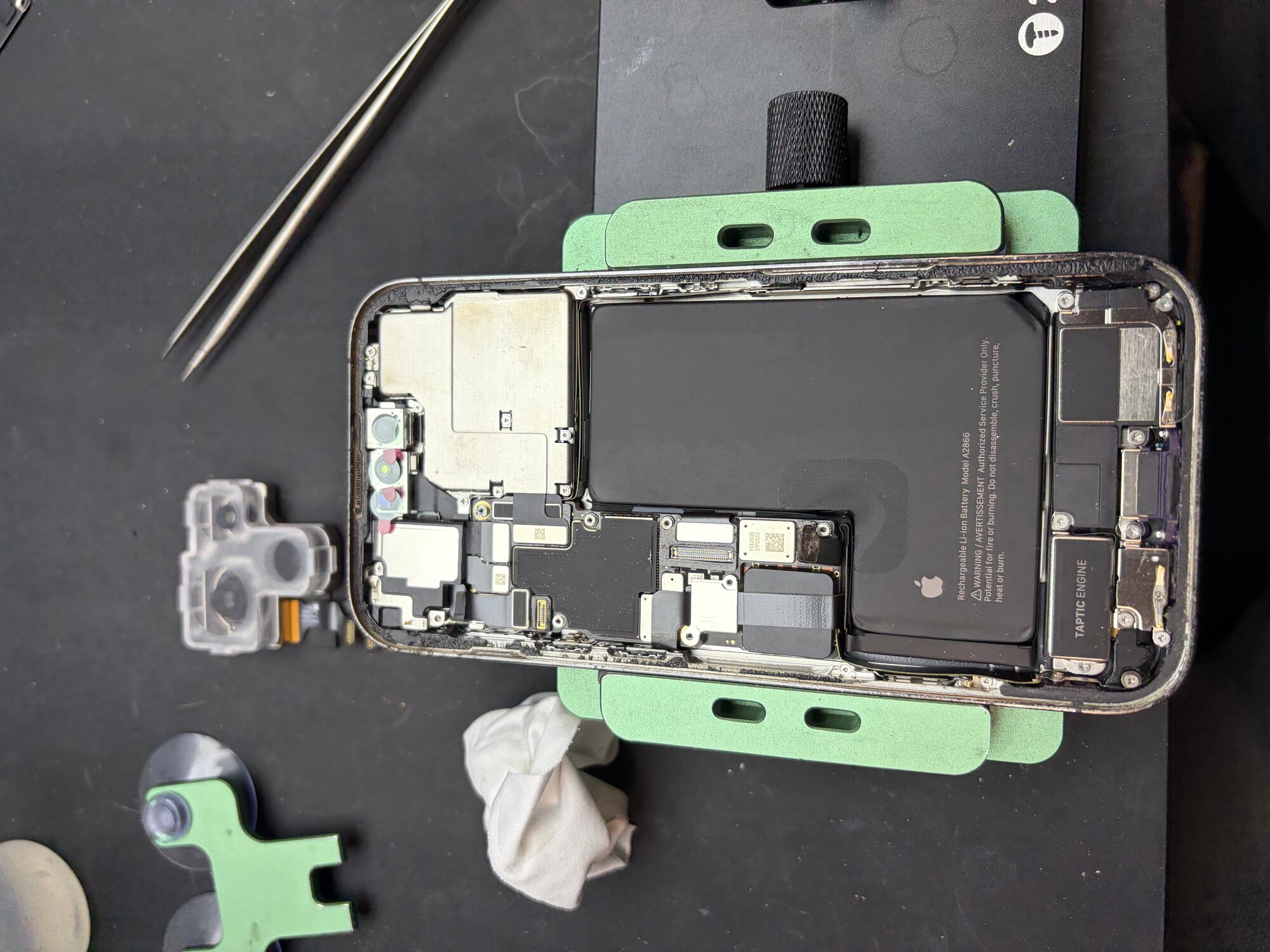
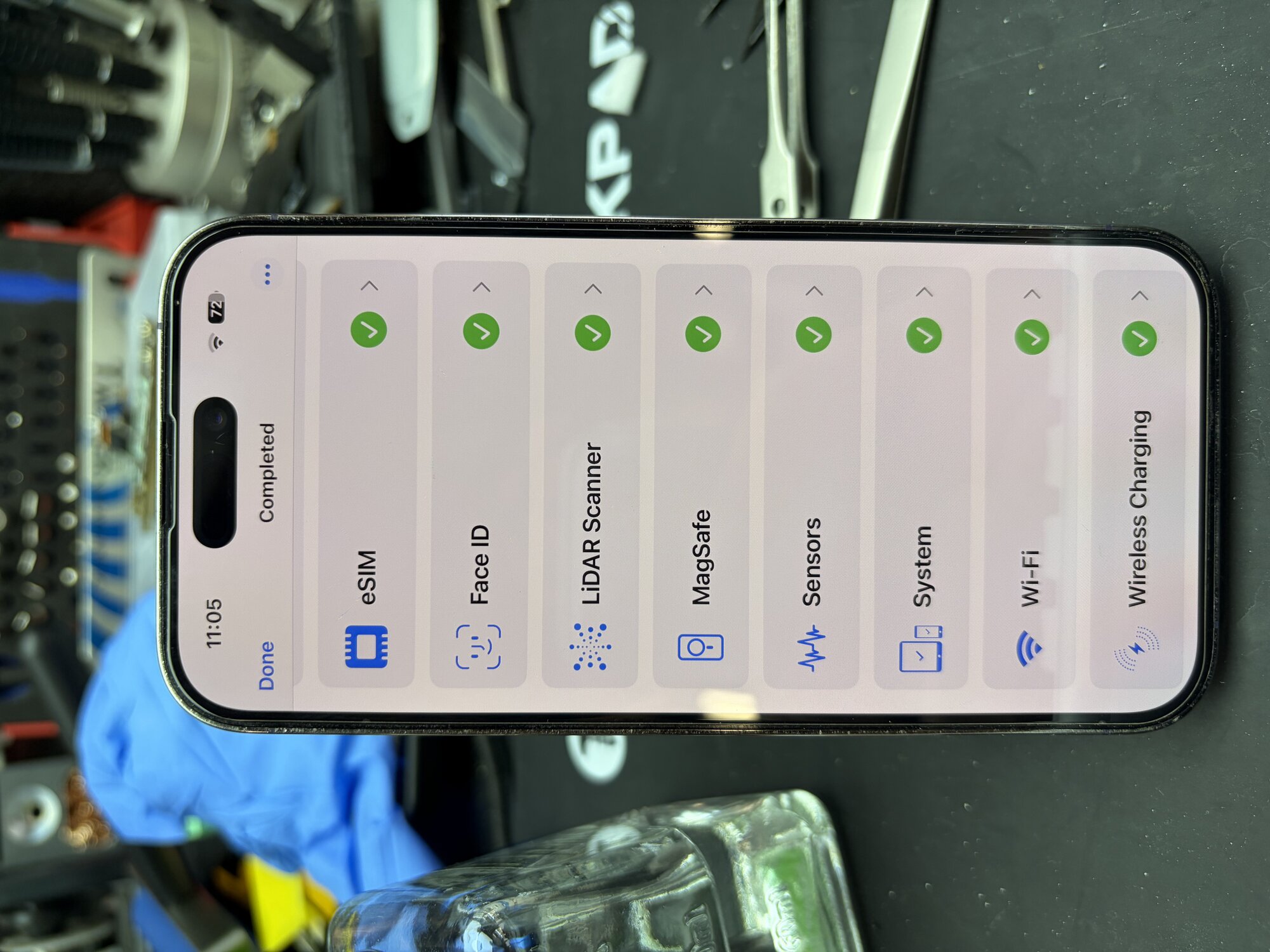
An iPhone 14 Pro customer from Orem, Utah was experiencing rear camera issues affecting photo and video quality. After diagnosis, we replaced the faulty rear camera assembly, restored full camera functionality, and completed post-repair testing.
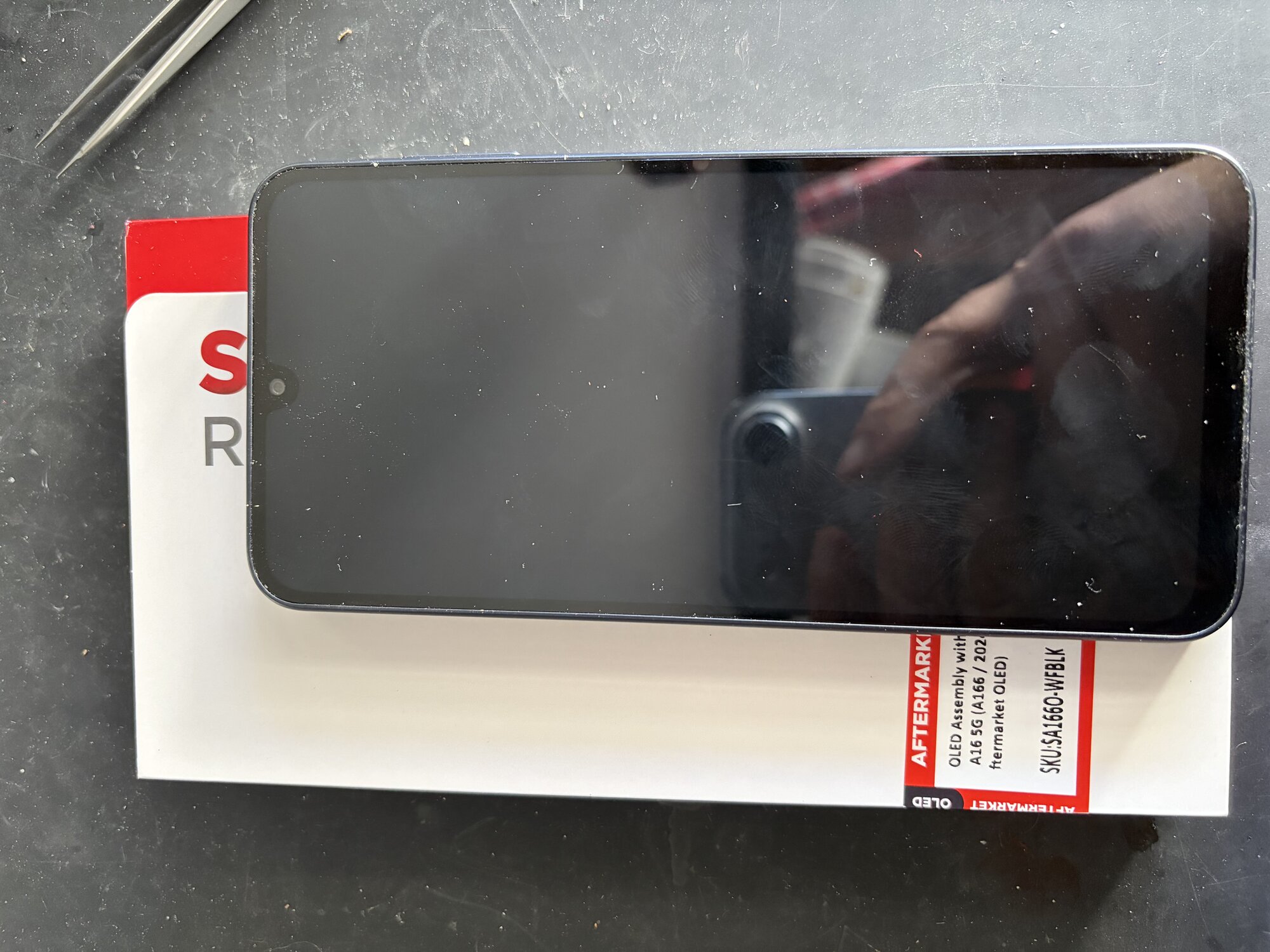
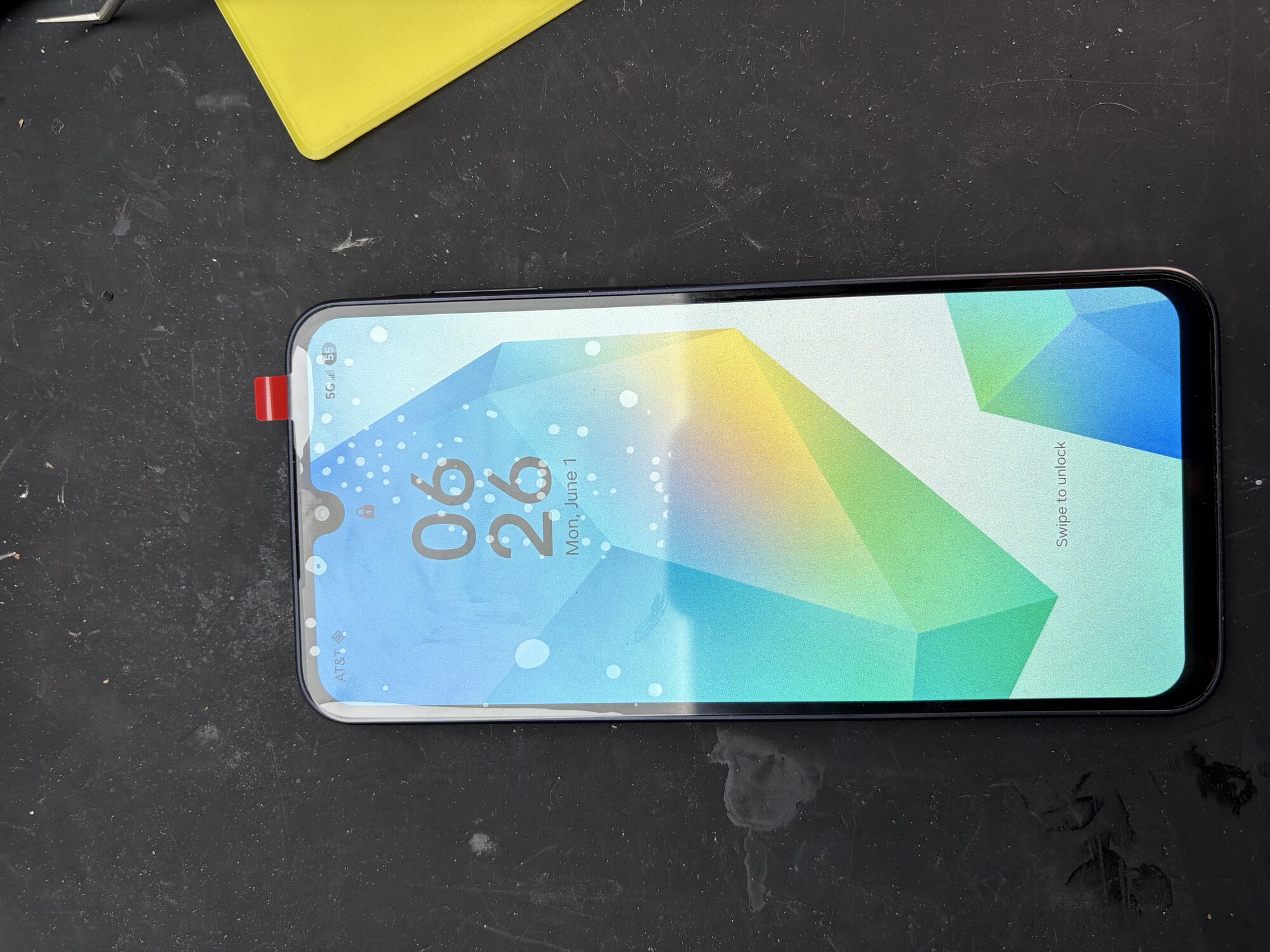
A customer from South Jordan, Utah brought in a Samsung Galaxy A16 5G with a completely black display. After diagnosing the device and confirming the display FPC connector was functioning properly, we determined the OLED panel itself had failed. We installed a premium aftermarket OLED assembly, fully tested the device, and restored normal display and touch functionality, getting the customer back up and running the same day.